
Structured metronome
A generic metronome stays at one BPM. Structured metronome is a map of the piece: each section can have its own tempo, time signature, grouped accents, and name. You build the map once on the song; ReperDo rehearses the form with you.
Simple loop or full form
Leave structure off for a looping click with one tempo and meter (optional accent pattern or rhythm preset). Turn on Enable structure-follow metronome in Song metadata when the arrangement changes. The overlay then locks BPM and meter so the map cannot fight a panel edit.
Write the map
In Song metadata set total measures, then add segments: part name (Intro, Verse, Chorus…), start and end bar, BPM, time signature, and optional accents such as 3+2+2 for 7/8. Gaps between segments keep the previous settings (carry-forward). Overlaps are not allowed. ReperDo does not detect form from a score — you author it.
Example map
INTRO     4/4    80
VERSE     7/8   112   3+2+2
CHORUS    4/4   120
BRIDGE    6/8    96   3+3
CODA      3/4    72
Play it
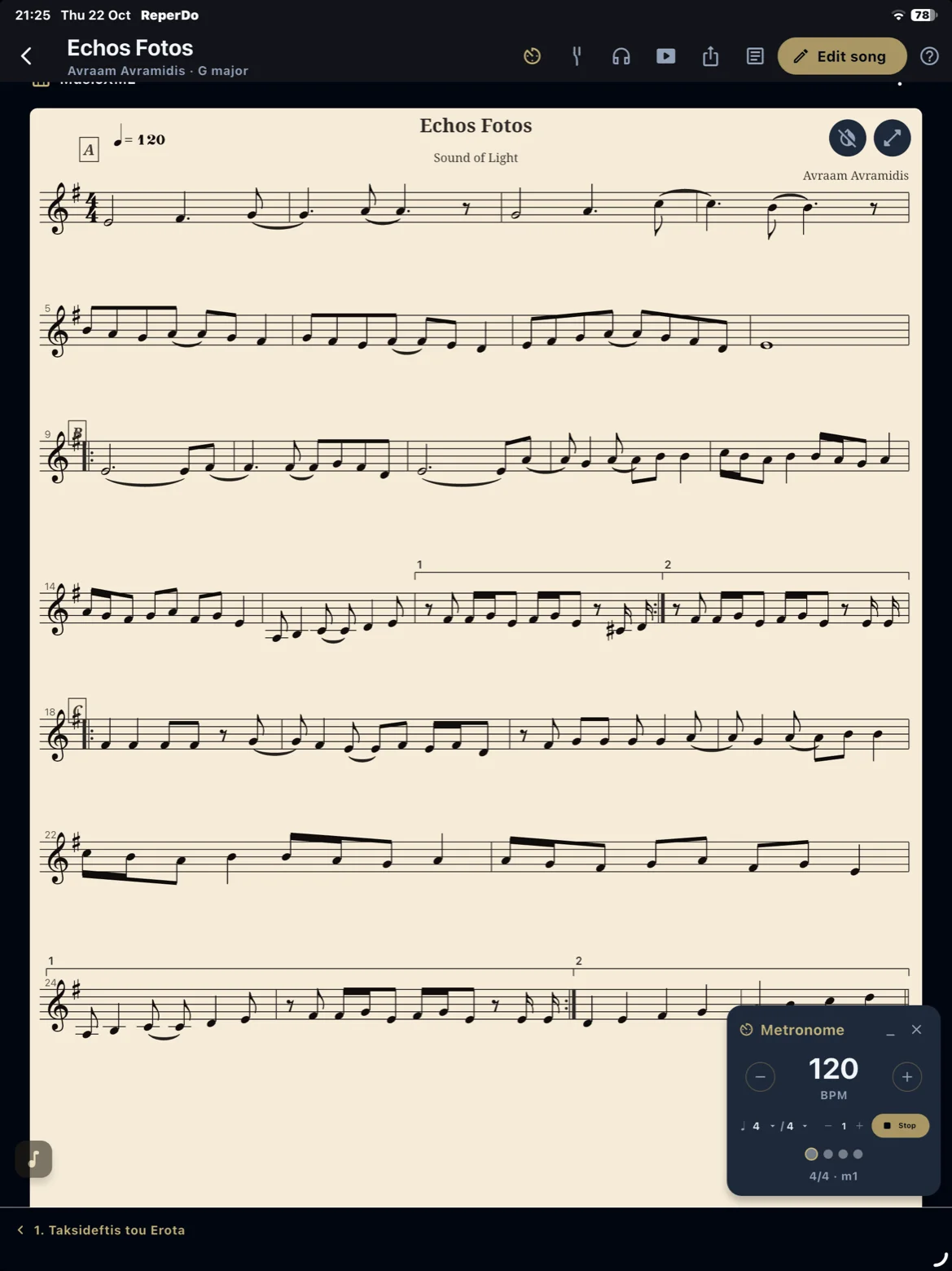
Open the song-page metronome and press Start. Optional count-in (Settings → Playback, 0–2 bars) uses the first section’s tempo and meter. Then the click walks measures 1 through the last bar and stops. The overlay shows the current part and measure. This is not an infinite loop of the whole song.
Odd meters and accents
Grouped accents tell the click which beats to emphasize. 3+2+2 in 7/8 accents beats 1, 4, and 6. 3+3 in 6/8 accents 1 and 4. Leave the field empty for downbeat only. Groups must add up to the section’s numerator.
Not the same as score playback
Structured metronome follows the saved map. If you arm MusicXML score-follow on the overlay, clicks lock to the score instead. See the MusicXML guide. Short answers: FAQ.