
Structured scores: MusicXML & MuseScore
ReperDo shows and plays MusicXML and MuseScore files — useful for practice and hearing a part. It is not a notation editor, and it does not change the written notes.
Supported file types
From the song page, attach uncompressed MusicXML (.musicxml, .xml), compressed MusicXML (.mxl), or MuseScore archives (.mscz, .mscx). Simple and moderately complex parts work best; linked treble and tablature staves are supported when the file contains them.
MuseScore files
MuseScore 3.6+ and 4.x projects convert on your device into the same reader as MusicXML. MuseScore page breaks and layout-only elements are not preserved — ReperDo redraws the notes on screen. After a ReperDo update, remove and re-import an attachment if it still shows an old broken view. Export PDF from MuseScore when you need an exact print layout on the stand.
Attach a file
Use Add score or attachment on the song page. Pick from Files or share from MuseScore / another app. The attachment card shows whether the file is MusicXML, MXL, or MuseScore.

Read
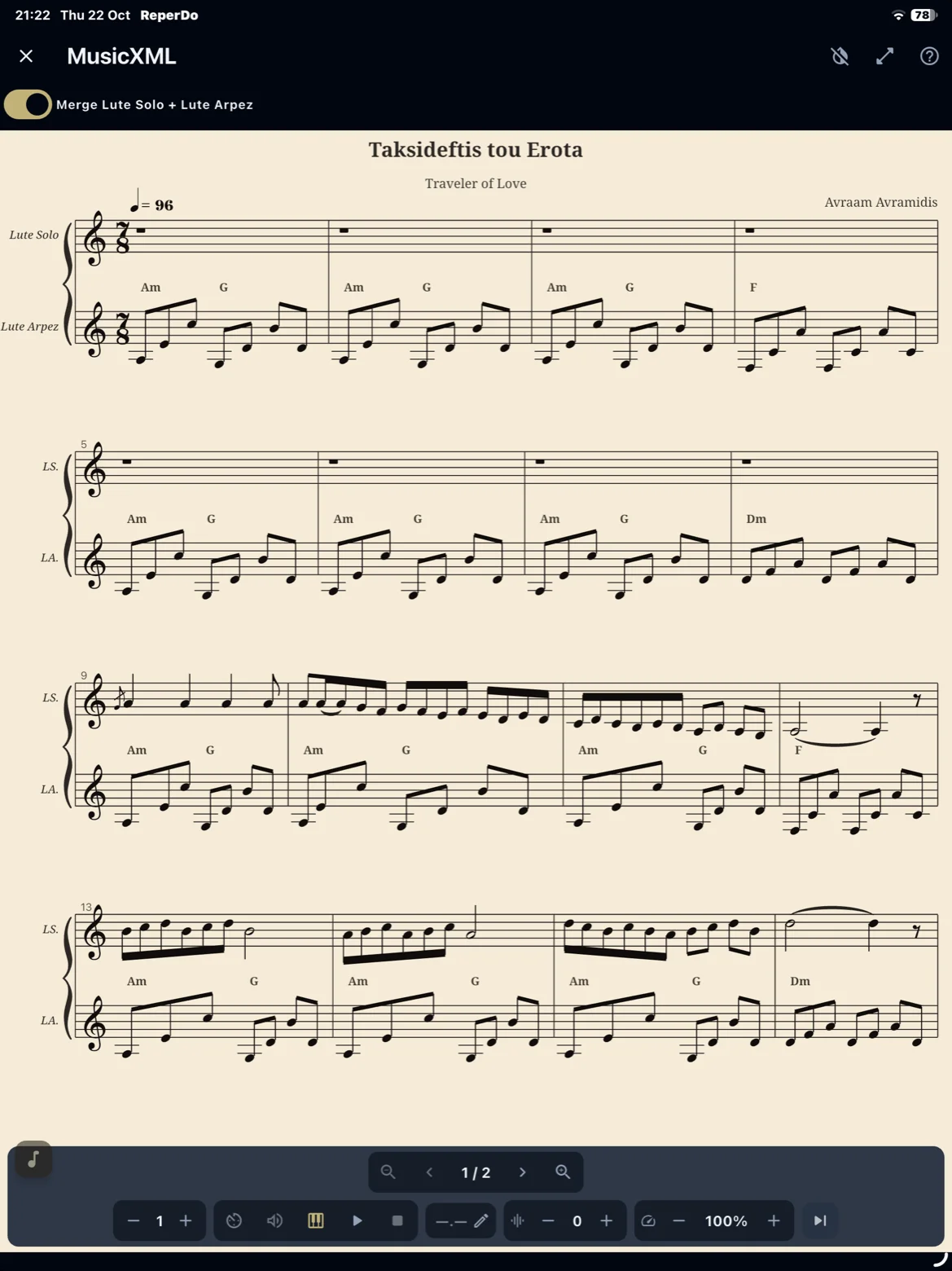
The score appears on the song page. Dense or unusual notation may still differ from MuseScore on a desktop — we improve how it looks over time. For the stand, use PDF or image instead.
Play back
Tap play to hear the part with a moving cursor. Repeats, voltas, and D.S. / D.C. follow expanded playback order when the file includes them. Practice tempo is saved on that attachment and comes back with a backup. It is a study aid, not a full DAW or notation editor.
Modal score playback (oud, piano, makam)
Western scores play in familiar equal temperament. For Turkish repertoire, open Playback tuning & tradition… on the attachment and set modal interpretation — tradition, makam preset, and karar. Choose oud or piano under Settings → Playback → Modal score (MusicXML). That instrument choice is timbre only; pitch follows the interpretation. This is for learning and a first sense of the mode — not a complete makam performance. Full explanation: Modal score playback guide.
Transpose playback
Shift the sounding pitch by up to 12 semitones on .musicxml, .mxl, .mscz, and .mscx. The notes on screen stay as written. This setting is separate from chord transpose on the lyrics.
Share and export audio
Share sends the score file. Export playback audio makes an M4A of what you hear now, including practice tempo, transpose, and the chosen instrument. Share that file or save it on the song.
For gigs
Export or print a PDF from your notation app for performance. See Add a score and use it on stage.