
Export playlist ZIP and setlist PDF
Playlists order a gig or lesson. ReperDo can share that order as a printable setlist or as a ZIP another ReperDo user can import.
Setlist PDF
Open a playlist, then use Export setlist PDF (or the share action on the playlist). The PDF lists song titles in set order — handy for the stand or the sound engineer. Lyrics and chord transpose settings on each song are reflected when those fields are included in the export options.
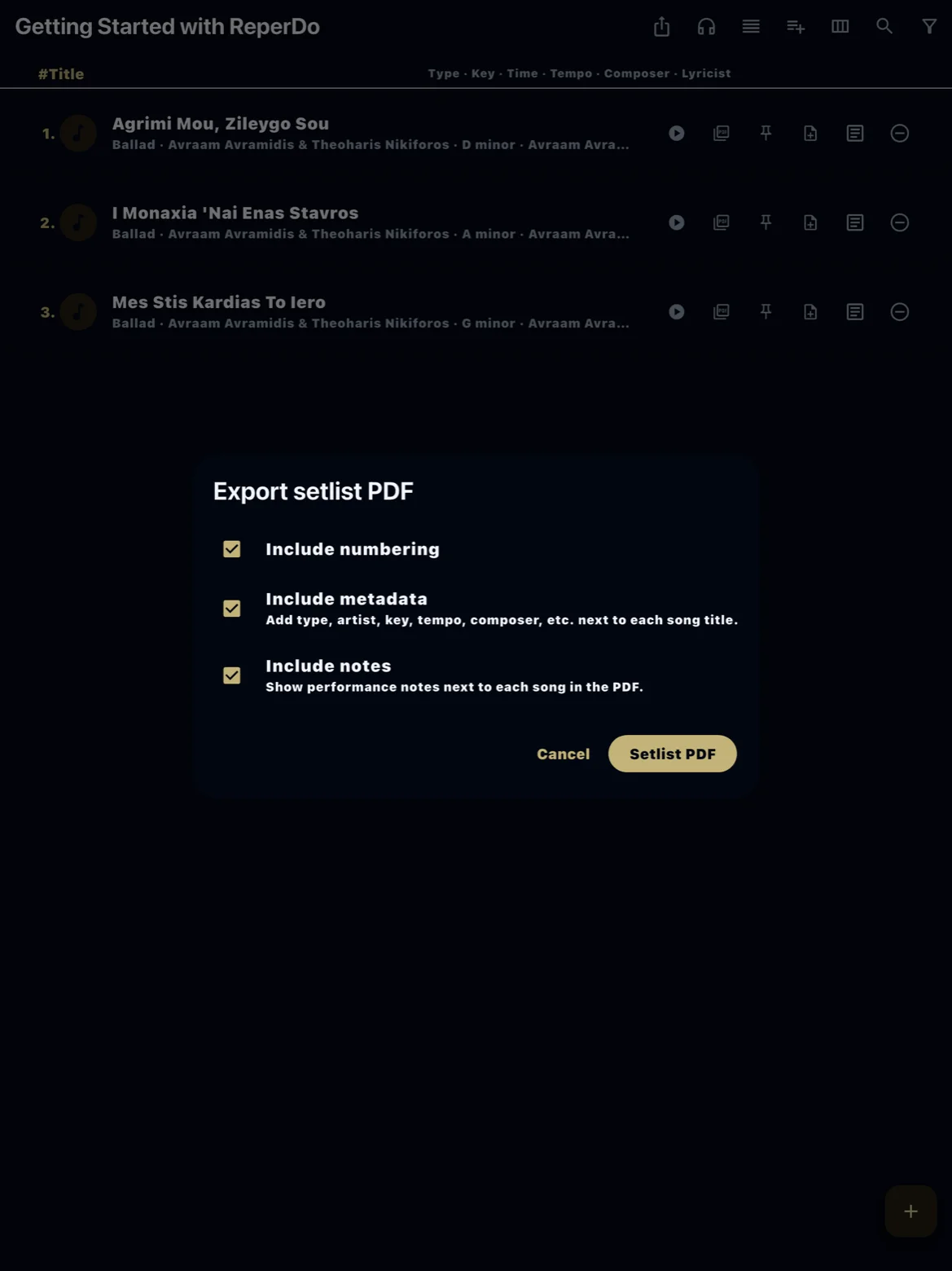
Playlist ZIP
Export playlist as ZIP bundles the playlist structure and the songs it references, including attachments where the export includes media. Send the file to a bandmate or your other phone. Import on the receiving device through Settings → Data & backup (import playlist / song / song set ZIP). Nearby transfer is another path for the same kind of bundle.
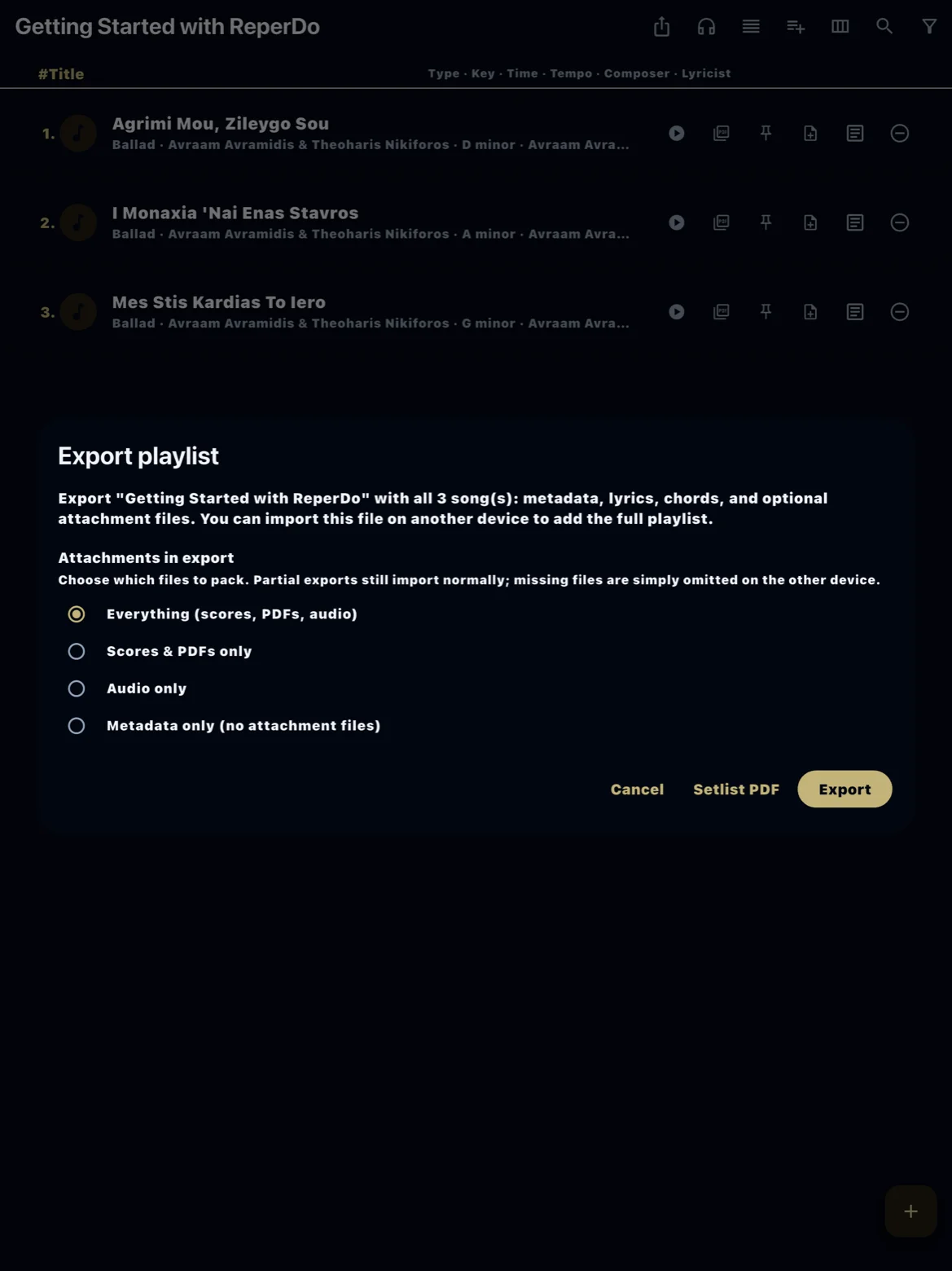
Transpose and metadata
Chord transpose on a song is stored with the song. A setlist PDF shows titles and optional lyric/chord excerpts as configured; it is not a full score export. For a spreadsheet of titles and metadata across the whole library, use Export your song catalog.
Still stuck?
If import on another device fails, confirm the file is a ReperDo export ZIP, not a generic folder archive. Email support@reperdo.com with the ReperDo version on both devices.